
CRT-9CRT playback
Footage as it looked on the monitor.
- Reference
- Standard-definition CRT tube monitor, 1990s-early 2000s consumer / prosumer
- Format
- 9:16 default · 4:3, 16:9 WIDE toggles
- Modes
- Video only
- Video
- 30fps · 60s max clip
- Flash
- none
- Pricing
- Free
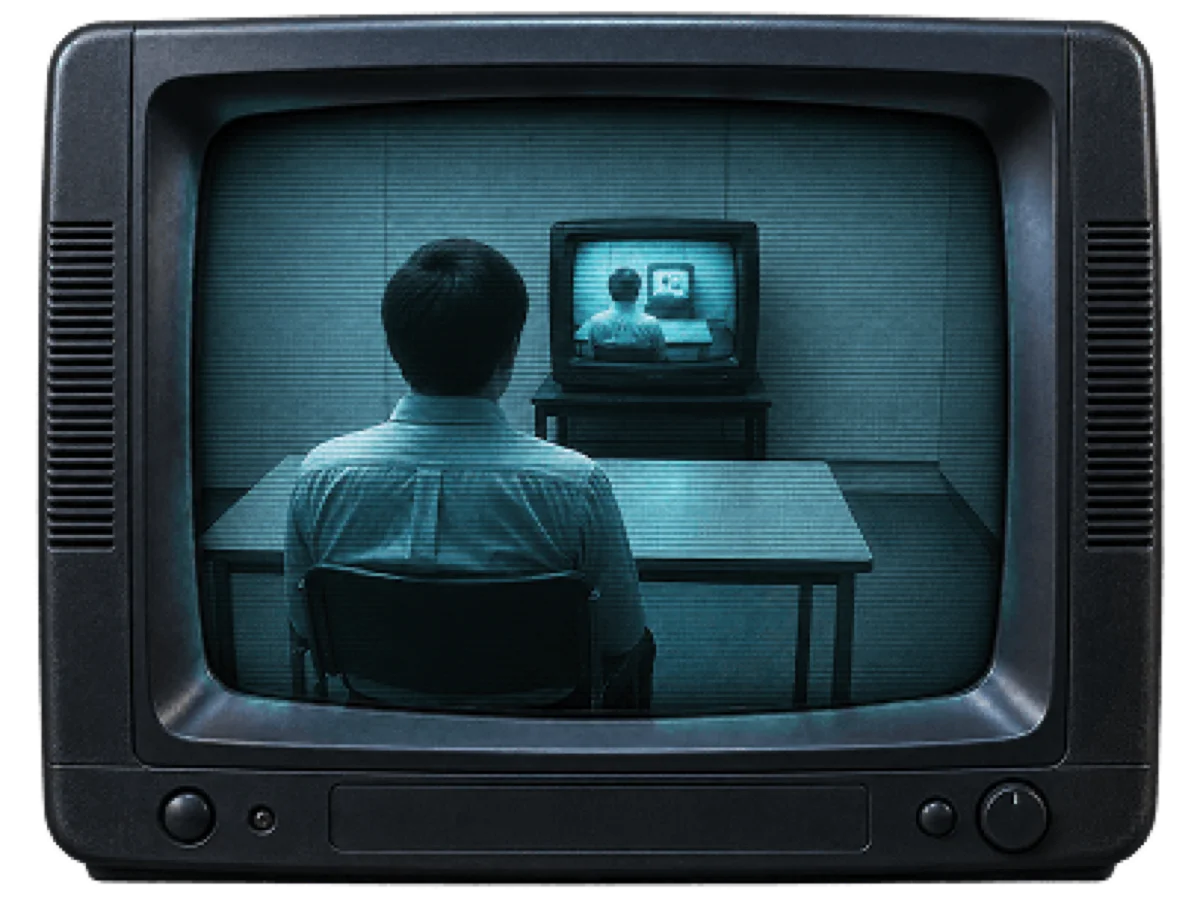
What it simulates
- Composite chroma smear (0.7 — heavier than DV)
- Interlace (0.35), dropout (0.2)
- CRT scanlines (0.55) — the raster pattern
- Dot crawl (0.5) — demod artifact on fine detail
- Tube display pass (MONITOR toggle default ON): rounded-corner inset bezel, curvature 0.58, bloom 0.33, phosphor mesh 0.34, fade at glass edges
- Blue phosphor default; GREEN and MONO alternates
- Pedestal 0.04 — 'a cheap tube never shows true black'
- Monitor-speaker audio: bandpass 300-5000 Hz, mains hum 120 Hz, flyback whine 15734 Hz
How it behaves at capture
- Video only — CRT-9 is a playback fiction, not a stills camera
- 9:16 default framing (portrait tube), 4:3 and 16:9 WIDE toggles
- Boot: sync roll + static ramp before your first frame
- Tail: static-decay ramp → snow → badge appended after your last user frame
- The picture goes through the tube — signal chain first, then the display pass
What CRT-9 is
CRT-9 is a tube monitor. You shoot video into it, and it renders as if it were playing on a cheap 1990s CRT — curvature, phosphor mesh, bloom on the glass, scanlines, the whole signal chain that made SDTV footage look like SDTV footage on the display it was designed for.
It's a playback fiction, not a capture camera. The composite signal chain runs first — chroma smear, interlace, dropout, dot crawl — and then the display pass draws the tube around it. The picture and the tube go through the same signal so they inherit the same pixel character, which is why the bezel doesn't read as "overlaid on top."
Boot and tail
Every CRT-9 export starts with a boot animation — sync roll and static ramp — before your first frame plays. Every export ends with a tail — the picture destabilises, degrades to snow, shows a station-off badge. Both are on the same timeline as your footage, continuing PTS. Same file, one writer.
Three phosphors
Blue is default (the standard consumer phosphor). Green is available (early-computer / security-monitor character). Mono is available (broadcast field monitor). Each changes the tone dramatically without changing the signal chain — the tube's phosphor is separate from the signal that drives it.
How to shoot with CRT-9
- Video only, 9:16 default framing (wall monitor doesn't tilt).
- Point at anything you'd want to see played back on a bad tube — camcorder-style footage benefits most; static scenes less so.
- The MONITOR toggle controls the tube overlay; the tint toggle switches phosphors.
- No shutter chip — CRT-9's picture goes through the composite signal, not a shutter-style capture.
See also VHS-83 (the signal chain the tube plays), HDV-2000 (MiniDV), and NS-8 (Hi8).
Frequently asked questions
Is CRT-9 a camera or a display?
A display, technically — a playback fiction. You shoot video through CRT-9's viewfinder and it renders as if it were playing on a tube monitor. The tube — bezel, curvature, phosphor mesh, bloom, scanlines — is part of the exported file.
Why is the default framing 9:16 (portrait)?
CRT-9 models a wall monitor, and 'a wall monitor doesn't tilt.' The 9:16 default frames content as if it were playing on a vertical tube. The 4:3 and 16:9 WIDE toggles let you switch to horizontal orientations if you want.
What is the tail on exports?
The end of the video. After your last user-recorded frame, CRT-9 appends a signal-decay ramp — the picture destabilises, degrades to snow, and shows a station-off badge. Same writer, same file — continuing the export's timeline. It's what turning off a real tube looked like.
Can I turn off the tube display and just have the composite signal?
Yes. The MONITOR toggle controls the display pass (bezel, curvature, phosphor mesh). Turn it off for a bare composite signal that shows the chroma smear and scanlines without the tube overlay.
Is CRT-9 free?
Yes. CRT-9 ships free with the app.
Published by Afterhours Camera. Reviewed . Corrections and questions: bricksandcanvas@gmail.com.