
How to Get the Early-2000s Digital Camera Look on iPhone
The 2000s digicam look isn't 'lower quality.' It's a specific set of CCD-sensor behaviours — bimodal ambient/flash grade, purple fringing, JPEG blocking, harsh highlight clip, no shadow lift. Here's how to get it on iPhone.
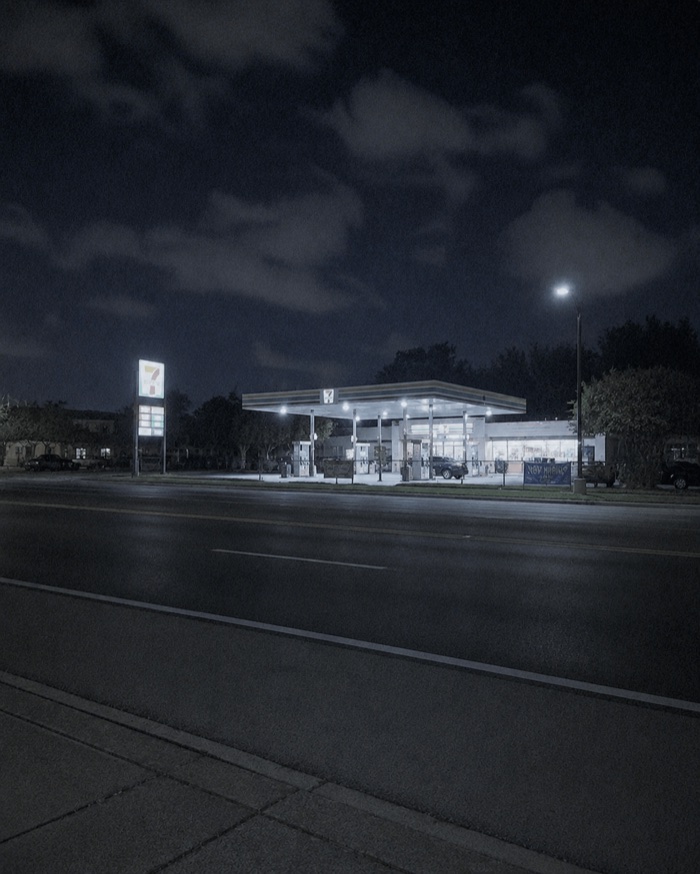
What the 2000s digicam look actually is
The early-2000s digital camera era covered roughly 1999-2006. During that period, consumer cameras used CCD sensors (not CMOS), applied heavy in-camera JPEG processing, wrote to CompactFlash or SmartMedia cards, and used xenon or LED flashes designed for close subjects.
The look isn't nostalgia. It's a real set of technical characteristics:
- CCD sensors. Different colour response and highlight behaviour than modern CMOS. CCDs clipped highlights hard without smooth rolloff. Modern CMOS rolls highlights off gently — the "un-iPhone signature" from real cameras of the era comes largely from this.
- In-camera JPEG processing. Real-time compression on a slow processor produced visible artifacts: purple fringing on high-contrast edges, JPEG block artifacts near detail, and oversharpening halos around any edge the algorithm decided to enhance.
- Aggressive in-camera sharpening. Every 2000s digicam applied more sharpening than modern computational photography does. The result was a specific "crisp but wrong" look — sharp edges, but with visible halos.
- Harsh highlight clip. Digicam sensors had less headroom than modern smartphones. Overexposed pixels went to pure white without rolloff. Sky in a sunny scene often blew.
- No shadow lift. Modern iPhones lift shadows automatically. Digicams didn't. Underexposed shadows crushed to black.
- Bimodal LUT. Different colour grade for ambient vs. flash captures. Ambient stayed warm/punchy; flash shifted cool/pale.
- Flash behaviour. Preflash-then-burst for metering. Real xenon flashes rendered subjects and backgrounds with completely different colour temperatures.
- Video cadence. 15fps QuickTime clips, 30-second maximum on many cameras, no audio-video sync guarantee.
- Resolution. 3-6 megapixels was typical. Not "low" by any real standard, but noticeably less than modern smartphones.
- Date stamps. Optional but common. Burned into image data, not overlaid.
- CCD colour cast. A specific slight-green or slight-purple midtone bias that's hard to describe but instantly recognisable when you see it.
What the look is NOT
- Not film grain. Real digicams were CCD-clean. Grain belongs on film simulations.
- Not dust and scratches. No film emulsion means no emulsion defects. Digicams shot clean.
- Not "lower quality" broadly. Reduce a modern iPhone shot to 5MP and it still looks like a modern iPhone shot. The digicam look comes from specific sensor and processor behaviours, not just fewer pixels.
- Not an orange filter. Popular filter apps often layer a warm orange tint over any photo and call it "y2k." Real digicams weren't uniformly warm — they had specific colour behaviour that varied by scene.
- Not fake analogue leaks. Digicams didn't have light leaks. Adding fake film-style leaks to a digicam simulation gives it away.
The fast method — Afterhours
Two Afterhours cameras cover this era:
For 2004-era CCD compacts: CZ-30 simulates a 5MP CCD compact digicam. Purple fringing (0.6), oversharpen halos (0.55), authentic JPEG blocking (0.32), flash-falloff vignette, harsh CCD highlight clip (knee 0.88). Bimodal LUT — one for ambient captures, one for flash. Video runs at 15fps for 30 seconds — period-accurate QuickTime cadence. Digicam OSD. Paid unlock.
For late-90s Y2K Cyber-shot / Mavica-style: SPECTRA-16 is a generation earlier. Cruder JPEG than CZ-30 (fringe 0.4, sharpen 0.5, block 0.3). Harder CCD highlight clip (knee 0.9). The camera's identity is a 20-mode EFFECT dial (NEG, SOLAR, INFRA, ACID, and 16 more) whose chrome burns into every capture WYSIWYG — the LCD readout you see is the LCD readout in your file. Free camera.
For a subtler modern-compact character (not strictly 2000s): G8X MIII is a modern pocket compact with dual-exposure slow-sync flash. Subtle character, real blacks, near-invisible JPEG artifacts. Free.
The manual edit method
If you want to build the look in post rather than at capture:
- Reduce the source resolution. Downsample to 3-5 MP. Real digicams shot this size, not just because of storage but because of sensor size.
- Add purple fringing. Apply chromatic aberration in the purple/violet channel to high-contrast edges. Most colour-grading tools have a fringing tool.
- Oversharpen with halos. Apply unsharp mask at higher-than-comfortable strength. The halos are the look.
- Crush shadows. Set gamma to roughly 0.95 (slightly lower than neutral). No shadow lift.
- Clip highlights hard. Set the knee curve to 0.88 or so. Highlights hit the ceiling without rolloff.
- Bimodal LUT. If you're batch-processing a real event, split flash captures from ambient captures and apply different colour grades. Ambient: warm/punchy. Flash: cool/pale.
- JPEG-encode heavily. Save at 80% JPEG quality to introduce authentic block artifacts around detail.
- Date stamp. Optional. Bitmap font, orange or red, bottom right corner, no drop shadow.
- Match the era for content. Real 2000s photos of parties look like parties from that era — hair, clothes, decor, phones on the table. Applying a 2000s look to obviously modern content undermines the illusion.
The manual method takes 20-40 minutes per shot. The camera-simulation method takes as long as pressing the shutter.
Shooting techniques for the era
- Use the flash. Direct flash defined 2000s party photography. CZ-30 and SPECTRA-16 shine here.
- Get close. Digicam flash was designed for subjects 1-3 metres away. Beyond that, the flash falls off harshly. Compose to include your subject in the flash range.
- Shoot indoors at tungsten light. 2000s digicams handled tungsten in specific ways (warm cast, colour shift when the flash fired). The bimodal LUT reads best under mixed tungsten/flash.
- Compose 4:3. CCD native aspect ratio. Modern default is 16:9 or 4:3 depending on your phone. 3:2 doesn't read as digicam.
- Include mirrors, screens, and reflective surfaces. Digicam flash bounces off these in specific ways that look period-authentic.
- Don't stabilise heavily. Real digicams didn't have gimbals. Slight hand-shake is authentic; smooth handheld footage reads as modern.
- Date stamps if you use them. MM.DD.YYYY US, DD.MM.YYYY EU, YYYY.MM.DD Japan. Bitmap fonts. No drop shadows.
Common mistakes
- Adding fake film grain. Real digicams were CCD-clean. Grain gives away the fake instantly.
- Adding fake light leaks. Light leaks are a film emulsion phenomenon. Digital sensors don't do this.
- Applying an orange filter to everything. Real 2000s photos weren't uniformly warm. Warm skin tones under tungsten, sure — but the sky wasn't orange.
- Using modern Helvetica for the date stamp. Real digicams used bitmap fonts specific to the manufacturer. Verdana or Helvetica gives it away.
- Vertical framing. Real digicams shot horizontal because their bodies were designed that way. Vertical framing reads as modern.
- HD 1080p / 4K resolution. 2000s digicams shot at 640×480 or 720×480 for stills reference. Modern-resolution digicam-style photos read as fake because the resolution doesn't match the sensor era.
Related reading
- Camera Simulation vs Filters — why the bimodal LUT is a capture-time behaviour.
- Why Vintage Camera Apps Often Look Fake — the anti-pattern rulebook.
- CZ-30, SPECTRA-16, G8X MIII — the individual cameras.
Frequently asked questions
What's the fastest way to get a 2000s digicam look on iPhone?
Use [CZ-30](/cameras/cz-30) or [SPECTRA-16](/cameras/spectra-16) in Afterhours Camera. Both run the CCD-era sensor and JPEG behaviours live in the viewfinder — bimodal ambient/flash LUT, purple fringing, oversharpen halos, JPEG blocking, harsh highlight clip. CZ-30 is a restrained 2004 compact; SPECTRA-16 is a louder Y2K digicam with a 20-mode effect dial.
Why isn't the digicam look just 'lower quality'?
Because "lower quality" isn't specific enough. Reduce your iPhone photo to 5MP and it still looks like an iPhone photo — smooth highlight rolloff, lifted shadows, restrained sharpening, warm-friendly colour, cool-clean flash. That's the modern computational-photography pipeline. A 2004 digicam did the opposite of most of those things. The look comes from what the camera did wrong, not from reduced pixel count.
Why does a real 2004 digicam flash shot look so different from ambient?
Because CCD-era cameras applied different colour tables to flash captures. Ambient shots got a warm/punchy grade tuned for indoor tungsten and daylight; flash shots got a cool/pale grade tuned for the specific colour temperature of the built-in xenon or LED flash. The two looks are dramatically different — and the LCD only showed the ambient grade, so users didn't know what their flash shots looked like until they got the photos onto a computer.
Afterhours' CZ-30 models the same bimodal behaviour — one LUT for ambient, one for flash, applied at capture based on whether the burst actually fired.
Should I add fake grain or dust to get the digicam look?
No. Real 2000s digicams were CCD-clean. The character came from sensor behaviour, JPEG processing, and flash rendering — not from film-style grain or dust. Adding grain to a digicam simulation gives it away as fake.
Grain belongs on film simulations (see our [FILM shelf](/cameras#film)). Dust belongs on Polaroid simulations. Neither belongs on a digicam.
Why does CZ-30 shoot video at only 15fps?
Because 2004 CCD digicams shot video at 15fps in QuickTime format. Not 24, not 30. The jerky motion is period-authentic, not a bug.
Are the date stamps important?
They can be. Real 2000s digicams often stamped MM.DD.YYYY (US) or DD.MM.YYYY (EU) in specific bitmap fonts burned directly into the image data. Not overlaid — burned in. If you use a date stamp, get the format right for the era: bitmap font, no drop shadow, orange or red text at the bottom-right corner.
Published by Afterhours Camera. Written by Peter Garcia. Corrections and questions: bricksandcanvas@gmail.com.